
Bulk create from design folders
Drop a parent folder with one sub-folder per design set and each set comes back as its own listing, with mockups, print files and the shop's defaults.
Turn a folder of phone case or poster designs into finished Etsy listings — mockups, text, variations and your shop's settings included. Then send them as drafts, let a schedule publish a few a day, or change many live listings at once.
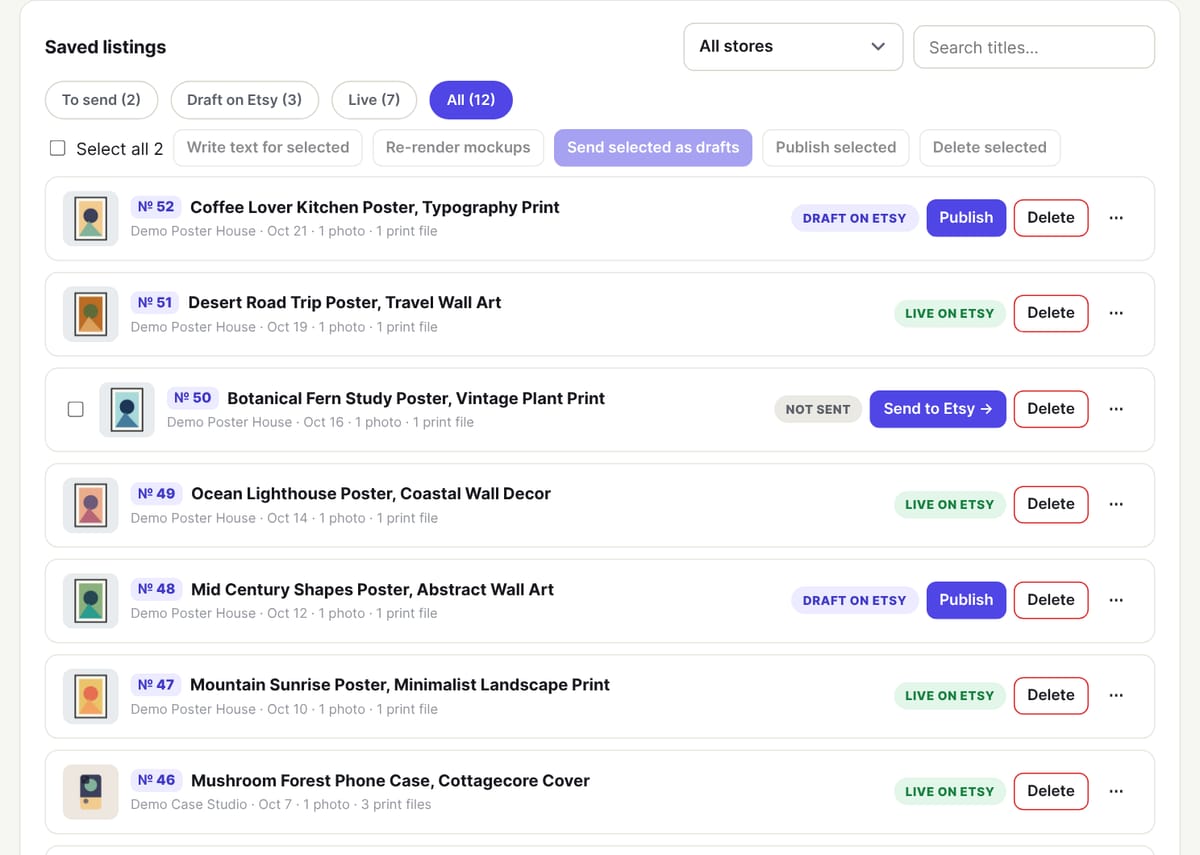
Four steps, and nothing reaches your shop until you, someone on your team or a schedule you set up sends it.
One sub-folder per listing — designs 1–5 of a phone case set, or one poster each. A Photoshop OUTPUT folder or a linked folder on your computer works too.
Each folder becomes a saved listing in the shop you pick: mockups from your templates, print files kept aside, and an AI title, tags and description.
Every listing gets a score out of 100. Fix what is weak, and approve your VAs' listings before they can go to Etsy.
Send the selected listings as drafts, publish them now, or let a publishing schedule post a few a day.
Made for shops that add new designs every week, not one listing at a time.
Drop a parent folder with one sub-folder per design set and each set comes back as its own listing, with mockups, print files and the shop's defaults.
Tick the listings and press Send selected as drafts. They are created on Etsy one after another in the background, and anything already on Etsy is skipped.
Choose how many listings a shop posts a day, on which weekdays and in which time window. They go live at random times inside it, oldest first.
Replace a word in many titles, add or remove tags, or add a new phone model to a shop's listings. You always see a preview and can try one listing first.
Changed your mind? Title and tag edits can be undone for a week, and each listing gets its old text back. Variation changes are reversed with the opposite edit.
Category, shipping profile, return policy, processing time, price, quantity and phone models or sizes come from an example listing you pick, so every new listing starts right.
Print-on-demand shops live on volume: the same design on a dozen phone models, a poster in several sizes, a new seasonal set every week. Listing Desk is built around that. A phone case listing carries designs 1–5 for the buyer to choose from, with a collage as the main photo; a poster listing gets its framed mockups in the order you chose for that shop. Info photos such as a size chart or a care card are added to every listing the shop sends.
Already make listings in folders on your computer? Link the folder once in Chrome or Edge and Scan finds the new listing folders, matches them to your shops by folder name and imports them — nothing is imported twice. Sellers who use a Photoshop action can drop its OUTPUT folder instead: 12.png becomes the print file and 12A.jpg, 12B.jpg… its photos.
A publishing schedule takes ready saved listings (or drafts Listing Desk made on Etsy), and two failures in a row pause it so nothing goes wrong unnoticed. The Today page warns you a few days before a shop runs out of ready listings, so you can make more or approve the ones waiting. Publishing on Etsy costs Etsy's usual listing fee, as always.
Only if you choose Publish selected. Send selected as drafts creates them as drafts on Etsy, so you can look at them there first. A publishing schedule only publishes in the shop you set it up for, in the window you chose.
Yes. Bulk edit loads the shop's listings from Etsy, wherever they were made. You see a preview of every change before anything is saved, and can run it on one listing first.
Photos are the mockups made from your templates (or the ones in your folder), in the photo order you set for the shop, plus its info photos. Variations — phone models or sizes — and prices come from the shop's listing defaults.
Not while review is on for them, and it is on by default for every team member. Pending or rejected listings can't be sent, published or picked up by a schedule.
Each part works on its own and even better together — from a folder of designs to a shipped order.
Titles, 13 tags and descriptions written from your design, in each shop's style, with a listing score.
Learn moreYour own PSD mockups for phone cases and posters, rendered for whole folders of designs.
Learn moreAll your shops and your VA team in one workspace, with tasks and approval before Etsy.
Learn moreOrders matched to design files and sent to Alerio or any partner, with tracking back to Etsy.
Learn moreWhat every page in the app is for, in plain words — the same help you see inside the app.
Read the guideStart a free trial, connect a shop and send your first folder of designs. Questions first? Email [email protected].